BTC
The best-known cryptocurrency, with its own receiving address in the configuration.
Bitcoin, Ethereum, Cardano, Solana and XRP directly in the Shopware checkout - paid into your own wallets, no payment provider.
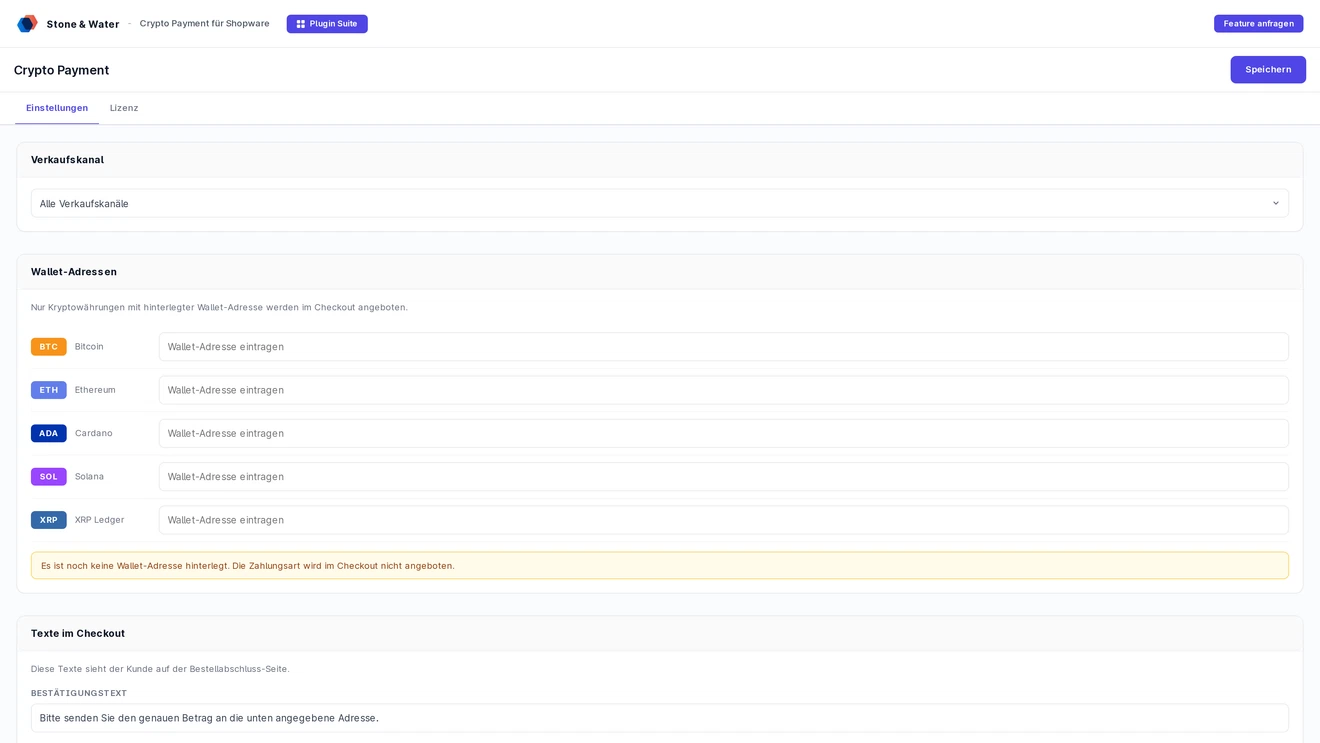
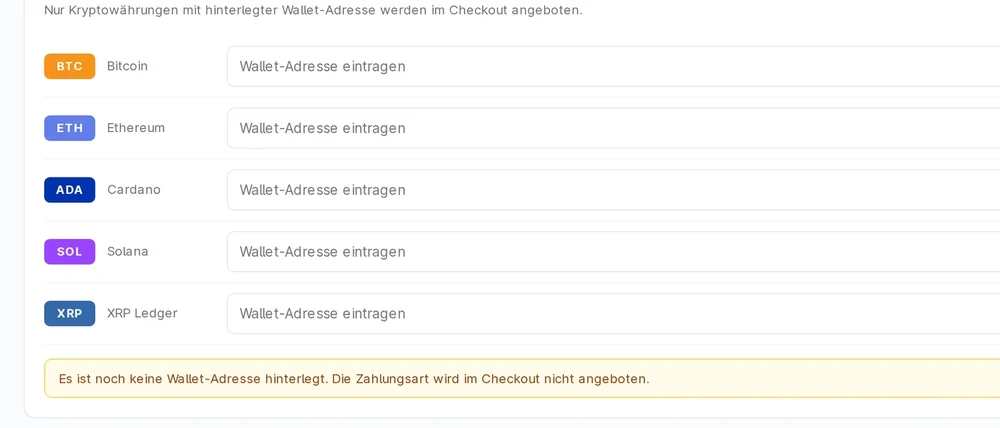
Five cryptocurrencies, each with its own wallet address. The checkout only offers what you have entered, configurable per sales channel.
The best-known cryptocurrency, with its own receiving address in the configuration.
Its own Ethereum address, selectable as a separate card in the checkout.
Cardano with its own receiving address.
Solana with its own receiving address.
XRP with its own receiving address.
If an address is left empty, that currency is not offered in the checkout. You do not have to offer all five.
No payment provider in between: the customer pays from their wallet straight into yours.
After the order is placed, the finish page shows the address of the chosen currency with a copy button, a QR code note and step-by-step instructions. The customer sends the amount from their own wallet.
The customer picks the cryptocurrency right in the checkout using cards with logos. Only what you have entered is offered.
The confirmation text and the network fee note come pre-filled and can be changed in the admin. Shipped in German and English.
Network fees are not part of the order total. The finish page points this out with a warning sign.
The plugin does not check the blockchain automatically. You verify the payment in your wallet and confirm it in the shop, much like prepayment.
New crypto orders stay open until you confirm the incoming payment in the admin.
Plan a fixed checkpoint in your daily routine and decide by when a payment must arrive and how you handle under- or overpayments.
Crypto payments cannot be reversed. Copy addresses from your wallet and test each currency once with a tiny amount.
A connection to a blockchain API for automatic confirmations is possible as an extension. Get in touch.
What is inside the plugin.
ZIP package for Shopware 6.7 - installable directly via the plugin manager. SW 6.5 and 6.6 versions to follow.
First stable release for the Shopware 6.7 line. Supports BTC, ETH, ADA, SOL and XRP - one wallet address per coin, coin selection in checkout via card UI, finish page with address + QR code.
Size: 56 KB
MD5: 46a0cc0670774e19baea2675a91a559b
Plugin class with install/activate lifecycle, AJAX controller for coin selection, Shopware payment handler, config service for the wallet addresses, CheckoutSubscriber for confirm + finish, Twig templates and SCSS storefront assets. Full DE/EN snippets.
Ports for Shopware 6.5 and 6.6 are in progress. If you need them sooner, get in touch - we prioritize based on customer demand.
On your system: md5sum StawCryptoPayment-v1.0.0.zip - the result must match the value shown here. If not, the file is corrupted or tampered with - do not install.
State of the plugin source from the ZIP package offered here.
The plugin follows Shopware standards - payment handler, subscribers for checkout confirm and finish, Symfony DI, no core patches.
v1.0.0 targets Shopware 6.7. Versions for 6.5 and 6.6 to follow on request.
Each coin can be activated separately - an empty wallet address hides the coin in checkout.
v1.0.0 uses static wallet addresses per coin - payment receipt is confirmed manually, the order status starts at "in progress". An optional blockchain API integration for automatic confirmations is possible as an extension - get in touch.
Own legal review recommended - crypto payments are permitted in Germany, but VAT treatment and accounting are individual. We refer you to your tax advisor for the detail questions.
Download the plugin, enter wallet addresses per coin in the admin, activate the payment method - done. On request we handle the entire setup including wallet provisioning.
Two routes, the same feature set - pick whichever suits your setup.
All prices net, plus VAT.
Download the free Plugin Suite and upload it in the admin, no SSH needed. It installs and updates the plugin with one click. You buy the licence directly from us, with an invoice from us and support straight from the developer.
The plugin will be listed in the official Shopware Community Store. Installation and automatic updates then run through the plugin manager, billing through your Shopware account. We will link it here as soon as it is live.
Install the plugin, enter the licence key, add a wallet address for each cryptocurrency and enable the payment method in the sales channel. The customer picks the currency right in the checkout.
Bitcoin (BTC), Ethereum (ETH), Cardano (ADA), Solana (SOL) and XRP. Only currencies with a wallet address entered appear in the checkout.
No. Payments go straight to your own wallets. After the order is placed, the finish page shows the matching wallet address with a copy button.
No. The plugin does not check the blockchain automatically. You verify the payment in your wallet and confirm it in the shop, much like prepayment by bank transfer. Network fees are not part of the order total.
Buying direct costs 4.99 euros net per month or 50.90 euros net per year. Paying yearly saves you 15 percent. All prices plus VAT. Shopware 6.7 is required.