Remove orphaned drafts
Cancelled working copies in order and order_line_item older than the minimum age (7 days by default). The live version is never touched.
Tidy your Shopware database on schedule - orphaned order versions, version commits, old logs. With preview, log and automatic runs.
Every edit of an order in the admin creates a working copy. If the edit is cancelled, the copy stays behind. Over months this grows to tens of thousands of rows until admin forms run into timeouts. The plugin finds and removes these leftovers, on schedule and safely.
Cancelled working copies in order and order_line_item older than the minimum age (7 days by default). The live version is never touched.
Cleans version commits without a live reference, optionally all older commits in aggressive mode. Recommended after large cleanups.
Deletes log_entry rows above a minimum age, 30 days by default.
Shows the largest tables and frees the space with OPTIMIZE TABLE, because InnoDB otherwise only marks deleted pages as free.
Lists orders with an unusually high number of versions, more than five by default.
Order, payment and delivery states live in state_machine_history and are kept. Dependent tables are cleaned up through their foreign keys.
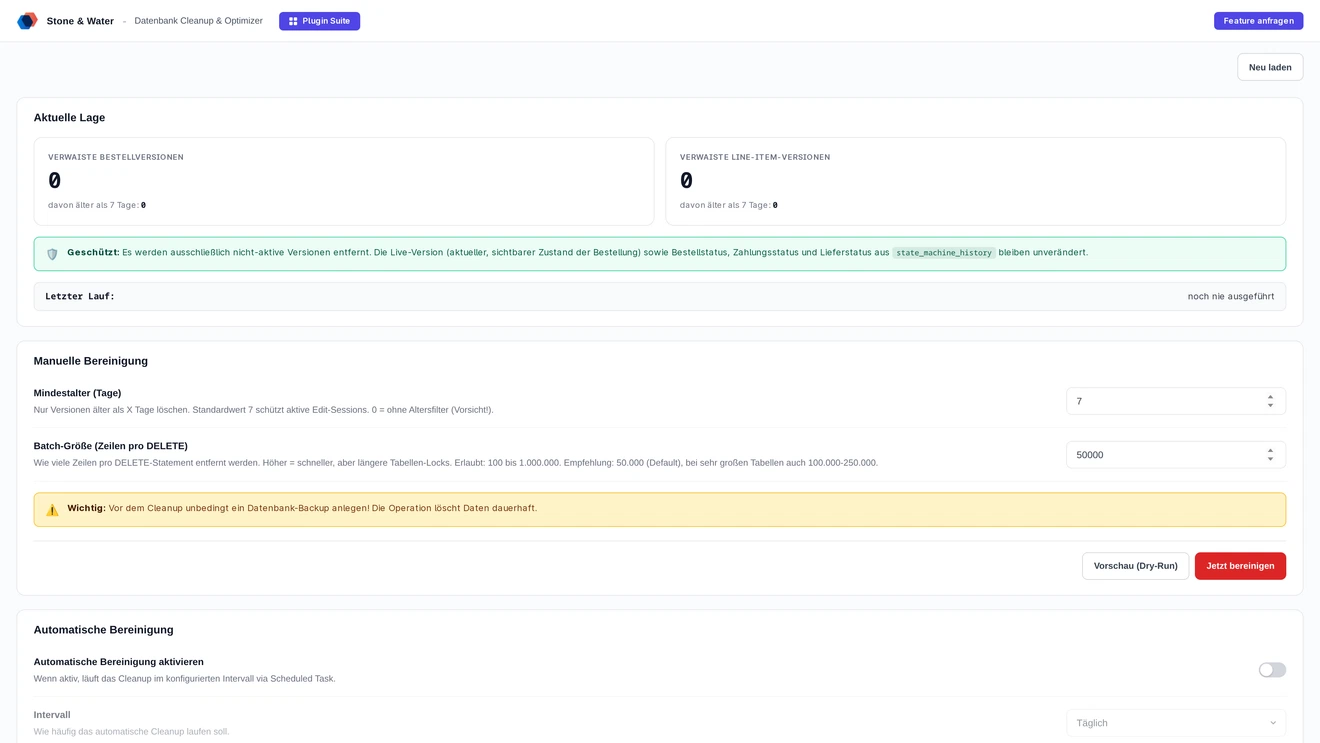
Cleaning a database is delicate, deleted rows are gone. Three mechanisms make sure nothing goes wrong.
The preview shows what would be deleted first. The log records every real run. The automatic cleanup follows fixed rules instead of spontaneous clicks.
The admin preview and bin/console staw:order-versions:analyze show the numbers without deleting anything.
Every real run is logged with time, trigger, user, deleted rows and duration, whether started from the admin, the console or automatically.
Hourly, every 2, 6 or 12 hours, daily or weekly via a scheduled task. A worker must be running.
The interface for everyday use, the console for very large tables without HTTP timeouts.
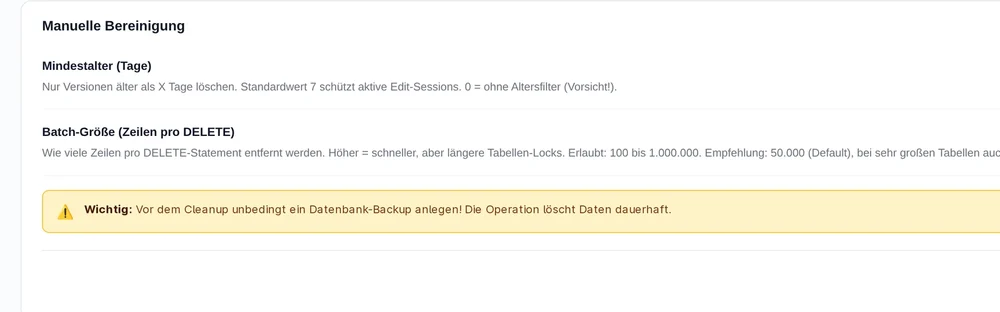
Seven days by default. With 0 the age filter is dropped, which can destroy active edits.
Rows per DELETE between 100 and 1,000,000, 50,000 by default. Higher is faster but locks tables longer.
A running job can be cancelled. Batches already started finish cleanly so the database stays consistent.
Log entries are kept for 365 days by default, 0 means forever.
A diagnosis endpoint returns exact counts and a test DELETE that is rolled back immediately. It changes nothing.
Deleted rows are gone. Create a database backup before the first run.
Own scheduled task, console commands, batch processing. No core changes.
bin/console staw:order-versions:analyze shows what would be deleted. bin/console staw:order-versions:clean --age-days=7 --batch-size=50000 cleans up, with a progress bar.
For large tables: backup, then use the console in a tmux or screen session. Afterwards enable the daily automatic cleanup with a seven-day minimum age.
OPTIMIZE TABLE `order`, `order_line_item`; returns the space to the file system. Run it outside business hours.
Runs with the admin worker or messenger:consume. Without an active worker nothing happens.
GET /api/_action/staw-order-version-cleaner/diagnose shows counts and sample IDs without changing data.
Two routes, the same feature set - pick whichever suits your setup.
All prices net, plus VAT.
Download the free Plugin Suite and upload it in the admin, no SSH needed. It installs and updates the plugin with one click. You buy the licence directly from us, with an invoice from us and support straight from the developer.
The plugin will be listed in the official Shopware Community Store. Installation and automatic updates then run through the plugin manager, billing through your Shopware account. We will link it here as soon as it is live.
A common cause is orphaned order versions. Every time an order is edited in the admin, Shopware creates a working copy in order and order_line_item. If the edit is cancelled, the copy stays behind. Over months this adds up until admin forms run into timeouts.
Only versions that are not the live version and are older than the minimum age, seven days by default, are deleted. Order, payment and delivery states are kept, and dependent tables are cleaned up through their foreign keys.
Yes. The preview in the admin and the command bin/console staw:order-versions:analyze show the numbers without deleting anything. Every real run is logged with time, trigger, user, row count and duration.
InnoDB only marks deleted pages as free. Only OPTIMIZE TABLE returns the space to the file system. Because the command locks the tables briefly, run it outside business hours.
If you want: hourly, every 2, 6 or 12 hours, daily or weekly via a scheduled task. A worker must be running for this, either the admin worker or messenger:consume.
Buying direct costs 4.99 euros net per month or 50.90 euros net per year. Paying yearly saves you 15 percent. All prices plus VAT.